
Assign/edit the "process server"
Last updated August 30, 2012
As a process serving company, after a you create a job (or a job is assigned to you by a client) you can assign who in your company should be designated as the actual server. You also have the ability to change who is designated as the server from within the job view.
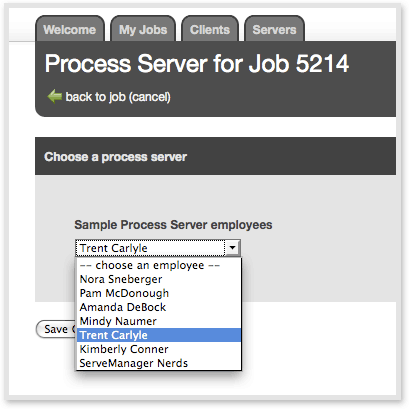
To edit an internal server:
Go to a job > Click "select process server" (under Employee Access) > Select the desired employee > click "Save Changes"
Note: only account administrators have the permissions to do this. These changes are also shown in the job history, which clients do not see.
ServeNow ordering assistant
Need papers served?
Chat with our AI to book a process server near the recipient, get a price, or check on an order.